
Word Search Classic: Puzzle
Updated Aug 11, 2026 · v1.1.0




Find words in a puzzle grid with large print, themed packs and a daily game.
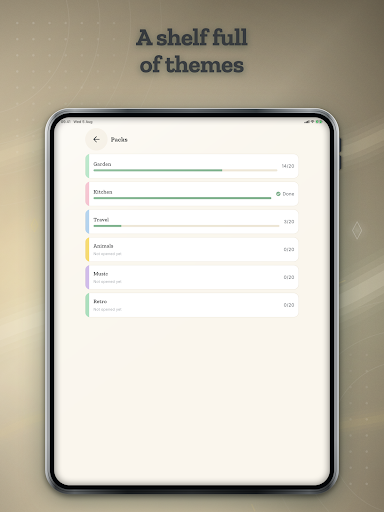
Word Search Classic is a word search puzzle game with adjustable large print. Pick a themed pack, then find the listed words hidden in the letter grid by swiping across them. A highlighter stroke follows your finger and snaps onto the word when you let go, and the word is struck off the list. Choose Classic, Large or Extra Large print and the whole puzzle changes size — the letters, the spacing, the word list and the buttons, not just the menus. HOW IT WORKS 1. On first open, pick the print size that feels comfortable. A live sample shows you exactly how big the letters will be. 2. Tap a pack — Garden, Kitchen, Travel, Animals, Music or Retro. 3. Swipe across the letters of a word you spot in the grid. 4. The stroke snaps onto the word and crosses it off your list. 5. Find every word to finish the puzzle, then move on to the next one. MADE FOR COMFORTABLE EYES Most apps that say "large print" only enlarge the menus. Here the grid itself reflows: at Extra Large the letters and the cells around them grow with it, and every button stays big enough to hit. You can change the size any time from Me — it is the first setting on the screen. WHAT'S IN IT • Six themed packs, twenty puzzles each • A Daily puzzle, the same one for everyone playing that day • A monthly calendar that stamps each day you play, with grace for the days you miss • Big Puzzle mode — a 14x14 grid with 22 words, for a long unhurried sit • Zen mode for endless random puzzles • Bonus words: find a real word that is not on the list and it still counts • One gentle hint per puzzle that circles where a word begins • A comfort setting that removes backward words for an easier puzzle • Evening Reading, a warm dark theme, plus a true-black option for OLED screens • Highlighter sets to collect • Works with no internet, and your progress stays on your device NOTHING THAT TRAPS YOU No coins, no energy, no lives, and no waiting to play. Every pack, every print size and the Daily are included from the start. There is never an ad inside a puzzle — the board is left alone completely — and the system back button always works, because nothing here ever takes over your whole screen. Ads appear on the menu screens and occasionally between puzzles, never two in a row, and never after the Daily. If you would rather remove them, the button is in Me, plainly worded, exactly where you would look for it. You can export a backup of your progress at any time, and bring it back later. The classic, kept classic.
0 years on Google Play
This app isn't currently appearing in any tracked top charts.